
How to send a Chestny ZNAK code that a checkout scanner cannot read
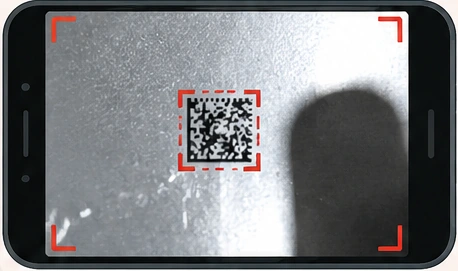 Poor: small, blurred, glare
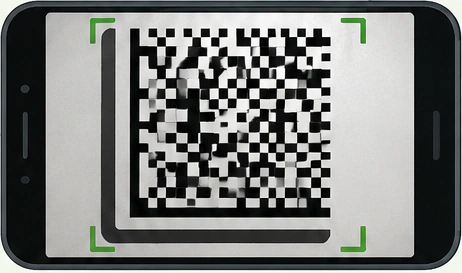 Good: large, sharp, even light
For a first review we usually need two things: a clear photo of the damaged marking and a photo of the product’s ordinary linear barcode.
The marking photo should be sharp, reasonably large in the frame and free of strong glare. One good image is often enough, but a second angle helps if there is a reflection or a fold.
The linear barcode should ideally be photographed together with its printed digits, because that is the fastest way to confirm the GTIN.
If the GTIN is already known from your system, you can send it as text instead of a barcode photo.
Photos can be sent through the website form, MAX or WhatsApp. Original images are best: no filters, no redrawing and no over-aggressive cropping.
A single good photo is normally more useful than several poor ones.